

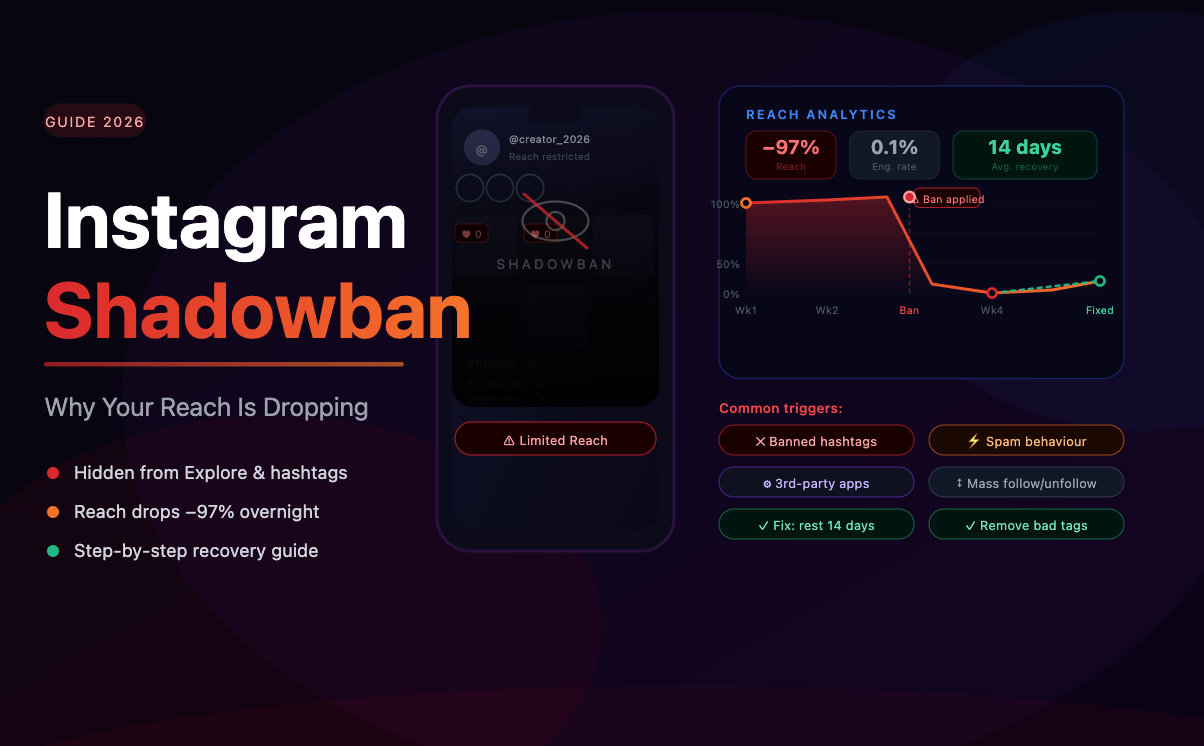
Shadowbanning is one of the most frustrating phenomena on Instagram — partly because the platform doesn't officially acknowledge it, and partly because it can be caused by factors account owners never suspected. This guide breaks down what a shadowban is, what causes it in 2026, how to detect it, and what to do to recover.
What Is a Shadowban on Instagram?
A shadowban is an undeclared restriction applied by Instagram's algorithm to limit the distribution of an account's content. Unlike a formal ban or content removal, a shadowbanned account continues to function normally from the inside — you can post, comment, and message. But from the outside, your content stops appearing in hashtag results, Explore pages, and Reels recommendations for non-followers.
The result: your organic reach drops sharply, often with no explanation. Your existing followers may still see your posts (though sometimes reach drops there too), but growth effectively stalls because new users can't discover you.
Why Does Instagram Shadowban Accounts?
Instagram's algorithm flags accounts that exhibit behavior patterns associated with spam, policy violations, or inauthentic activity. Common triggers include:
Unusual activity spikes. Liking hundreds of posts in an hour, following and unfollowing rapidly, or sending mass DMs all look like bot behavior to Instagram's systems — even if a human is doing it.
Banned or overused hashtags. Using hashtags that Instagram has flagged for spam or prohibited content can cause your posts to be filtered. Even using the same set of hashtags on every post can trigger distribution limits over time.
Third-party automation tools. Using bots or automation software that violates Instagram's Terms of Service — even if the individual actions seem harmless — is a leading cause of shadowbans.
High bot and fake follower ratio. This is a less obvious but increasingly important factor. When Instagram's algorithm analyzes your account, a high proportion of fake or suspicious followers signals inauthentic presence. Accounts with large bot audiences are more likely to face distribution restrictions.
Spam reports. If users report your content or profile at elevated rates, Instagram may impose restrictions while reviewing the situation.
How to Check If You're Shadowbanned
Instagram doesn't send a shadowban notification, so you need to check yourself. Here's how:
Test with a hashtag. Post a photo and add a niche-specific hashtag that's not too popular (under 500K posts). Then log out and search that hashtag from a non-following account. If your post doesn't appear in "Recent", that's a strong shadowban signal.
Check Insights for reach drop. A sudden, unexplained fall in "Accounts Reached" — especially the "Non-followers" segment — is a clear indicator. If your follower reach remains stable but non-follower reach tanks, your distribution is being limited.
Use a shadowban checker tool. Several third-party tools can diagnose distribution restrictions by analyzing your recent post performance against normal baselines.
Audit your audience quality. If your account has accumulated a significant fake follower base, that may be contributing to algorithm distrust. Running an audience analysis with SpamGuard can reveal whether bot-heavy followers are undermining your account's credibility.
How to Recover from a Shadowban
Recovery requires identifying and removing the cause. Here's a structured approach:
Stop all automated activity. Disconnect any third-party tools that interact with your account. Give the account at least 2–3 days of completely manual, natural behavior.
Review and refresh your hashtag strategy. Audit your hashtag sets. Remove any that are flagged or overused. Rotate hashtags regularly instead of using the same list on every post.
Clean up your follower base. If a high bot ratio is part of the problem, cleaning your audience is a necessary step. SpamGuard automates this process: it identifies fake and inactive followers and removes them gradually, within Instagram's safe limits, without triggering further flags.
Report potential errors to Instagram. If you believe the restriction is a false positive, use the "Report a Problem" option in the app. While responses are inconsistent, flagging the issue creates a record.
Publish high-quality content and engage authentically. Positive engagement signals — especially saves and shares — help rebuild algorithm trust. Focus on content that generates genuine interaction during the recovery period.
How Long Does a Shadowban Last?
There's no fixed timeline. Some accounts recover within 1–2 weeks after removing the cause. Others see restrictions persist for 4–8 weeks, particularly if the triggering behavior was sustained over a long period.
Accounts that address all contributing factors — automation, hashtags, audience quality — recover faster than those that only address one. Combining a proper audience cleanup with a break from automated tools gives your account the best chance of returning to normal distribution quickly.
Prevention: How to Avoid Getting Shadowbanned Again
Once you've recovered, maintaining clean habits prevents recurrence:
Keep all account activity within Instagram's natural limits (under 60 follows, 120 likes per hour)
Rotate hashtag sets and avoid flagged tags
Only use Instagram-approved third-party tools that operate through the official API
Run regular audience audits — quarterly at minimum — and remove new fake followers before they accumulate
Monitor reach metrics weekly so you can catch early distribution drops before they become serious
The best tool for ongoing audience health is SpamGuard: it monitors incoming followers in real time, automatically removes new bots and spam accounts, and sends regular reports on audience quality. It's the difference between doing a quarterly deep-clean and having continuous protection running in the background.
A clean account, consistent behavior, and strong content create the conditions where Instagram's algorithm works with you — not against you.
