

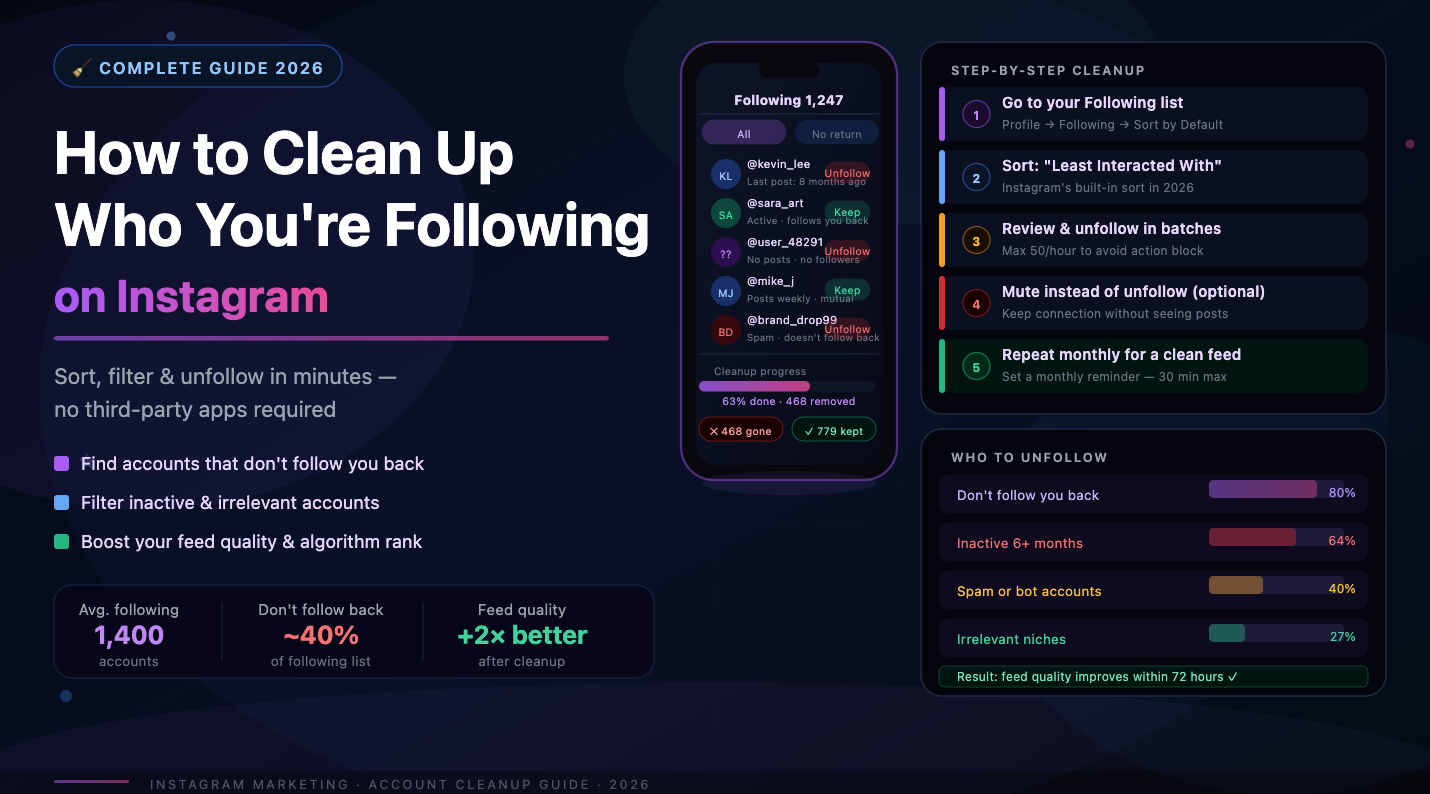
Why Your Following List Matters
Your feed quality. Every account you follow contributes to your feed. A bloated following list means your actual favorite creators get buried under irrelevant posts. Cleaning it directly improves the quality of your daily Instagram experience.
Your follow ratio. The ratio of accounts you follow to accounts following you is a visible signal of account quality. An account following 4,000 people with 800 followers looks like a follow-for-follow bot. A cleaner ratio signals a genuine, curated presence.
Algorithm signals. Instagram's algorithm considers your engagement patterns. If you follow thousands of accounts but only interact with a fraction of them, the algorithm learns that most of your following activity is low-value — which can affect how it treats your own engagement signals on other people's content.
Account safety. Some accounts you followed in the past may have since been converted to spam or bot accounts. Remaining a follower of these keeps a low-quality connection in your network.
Method 1: Manual Unfollowing
The most straightforward approach: go to your profile, tap Following, and unfollow accounts one by one. Instagram shows you the list in roughly reverse-chronological order (most recent follows first), which makes it easy to clean up recent follow-for-follow activity.
The limitation is speed. Instagram allows roughly 60 unfollows per hour before it starts showing rate-limit warnings. At that pace, unfollowing 1,000 accounts takes about 17 hours of active manual work. For most people, this is impractical.
Manual unfollowing works well for small-scale cleanup: removing specific accounts you recognize, or pruning a list that's only moderately overgrown. For anything over a few hundred accounts, you need a better method.
Method 2: Sort and Filter Your Following List
Instagram added a built-in sorting feature to the Following list that most users overlook. When you open your Following list, you'll see options to sort by:
Least interacted with — accounts whose content you've engaged with the least over the past 90 days
Most shown in feed — accounts that appear most frequently in your feed
The "Least interacted with" filter is particularly useful for identifying accounts worth removing. If you haven't liked, commented on, or saved anything from an account in 90 days — you probably don't need to follow it.
This method requires manual unfollowing of each account, but at least surfaces the right candidates automatically. It's the best native Instagram option available without third-party tools.
Method 3: Use a Dedicated Cleanup Tool
For accounts with a following list in the hundreds or thousands, automated tools are the practical solution. SpamGuard handles both sides of the audience hygiene equation: it removes fake and inactive accounts from your followers, and can identify non-followers and low-value accounts in your following list for cleanup.
The key advantage over manual unfollowing is compliance with Instagram's rate limits. SpamGuard paces all actions to stay within safe bounds — gradual removal that doesn't trigger Instagram's spam detection systems. You don't risk a temporary action block or account restriction.
The workflow is straightforward:
1. Connect your account to SpamGuard
2. Run an audit to see the full breakdown of your following list
3. Set filters for who to unfollow: non-followers, inactive accounts, commercial profiles
4. Whitelist anyone you want to keep regardless (clients, friends, partners)
5. Let the tool process removals gradually in the background
How Fast Can You Safely Unfollow?
Instagram's official limits aren't published, but community experience gives reliable benchmarks:
Safe pace: 30–60 unfollows per hour
Daily limit: 150–200 unfollows per day for established accounts
New accounts (under 3 months): 50–100 per day maximum
Exceeding these thresholds risks a "action blocked" error — a temporary restriction on follows and unfollows that can last 24–48 hours. Repeated violations can escalate to longer restrictions.
The safest approach is to spread cleanup over several days or weeks rather than trying to unfollow thousands of accounts in a single session. Any tool worth using — including SpamGuard — handles this pacing automatically.
What to Do with Non-Followers
Non-followers are accounts you follow that don't follow you back. Whether to unfollow them depends on why you followed them in the first place.
Keep following: Journalists, industry leaders, brands you genuinely like, creators whose content you actually consume. These accounts have value even if they don't follow back.
Unfollow: Accounts you followed hoping for a follow-back that never came. Giveaway accounts that required a follow to enter. Random accounts from old mass-follow campaigns. You're getting nothing from these — not engagement, not interesting content, not a relationship.
A simple rule: if you can't name one piece of content you've genuinely enjoyed from an account in the last month, you can probably unfollow it.
Handling Ghost Followers in Your Own Following List
Just as you may have ghost followers in your follower list — accounts that follow you but never engage — you may also be following ghost accounts: profiles that haven't posted in over a year, or accounts that have been abandoned by their owners.
Following inactive accounts contributes to a bloated following count without any benefit. These accounts won't like your posts, won't comment, won't send traffic your way. They're digital clutter.
Identifying them manually is tedious — you'd have to visit each profile. Automated tools can flag accounts with no posts in the last 6–12 months so you can remove them in bulk.
Maintaining a Clean Following List Going Forward
The best time to clean your following list is now. The second best time is continuously, with good habits:
Do a quarterly review of your following list using Instagram's built-in "Least interacted with" filter
Be intentional about who you follow in real time — don't mass-follow hoping for reciprocity
After giveaways or collaborative campaigns, unfollow accounts you followed only as a requirement
Set a personal limit — for example, never follow more than 500 accounts total — and prune whenever you approach it
For ongoing automated maintenance, SpamGuard runs in the background and can handle both sides: removing fake followers from your audience and flagging low-value accounts in your following list. One connection, continuous hygiene — so your account stays clean without recurring manual effort.
A well-maintained following list isn't just aesthetically cleaner — it improves your feed quality, signals account health to the algorithm, and keeps your engagement patterns genuine. It's fifteen minutes of setup for months of hands-off results.
